Chats
Communication · Messaging · Collaboration
Chat System
The chat system provides real-time communication capabilities, enabling instant messaging and collaboration among all system users. Chat functionality facilitates immediate communication, file sharing, and collaborative discussions within the Talencia system.
Instant messaging
Real-time text communication with delivery status.
Group conversations
Multi-user chat rooms for team collaboration.
File sharing
Document and media exchange capabilities.
Key Features
Essential communication tools.
Real-time Messaging
Instant text communication with delivery status and read receipts.
Group Conversations
Create and manage group chats with member permissions.
File & Image Sharing
Share documents, images, and media with preview capabilities.
Message History
Complete chat logs with cursor pagination for large histories.
Online Status & Last Seen
Track user availability and last activity timestamps.
Message Editing
Edit sent messages with real-time updates to all participants.
Message Deletion
Delete messages for all participants with soft delete support.
Message Replies
Reply to specific messages with threaded conversations.
Group Management
Add/remove members, edit group details, and manage permissions.
Search & Filter
Search conversations and filter by status (active/archived).
Real-time Updates
WebSocket integration for instant message delivery.
Responsive Design
Mobile-friendly interface with collapsible navigation.
Chat Management Overview
Visual guide to chat system features.
This video demonstrates the complete chat system workflow including sending messages, creating group conversations, sharing files and images, managing group members, and real-time communication between users.
Chat Interface with Attachments
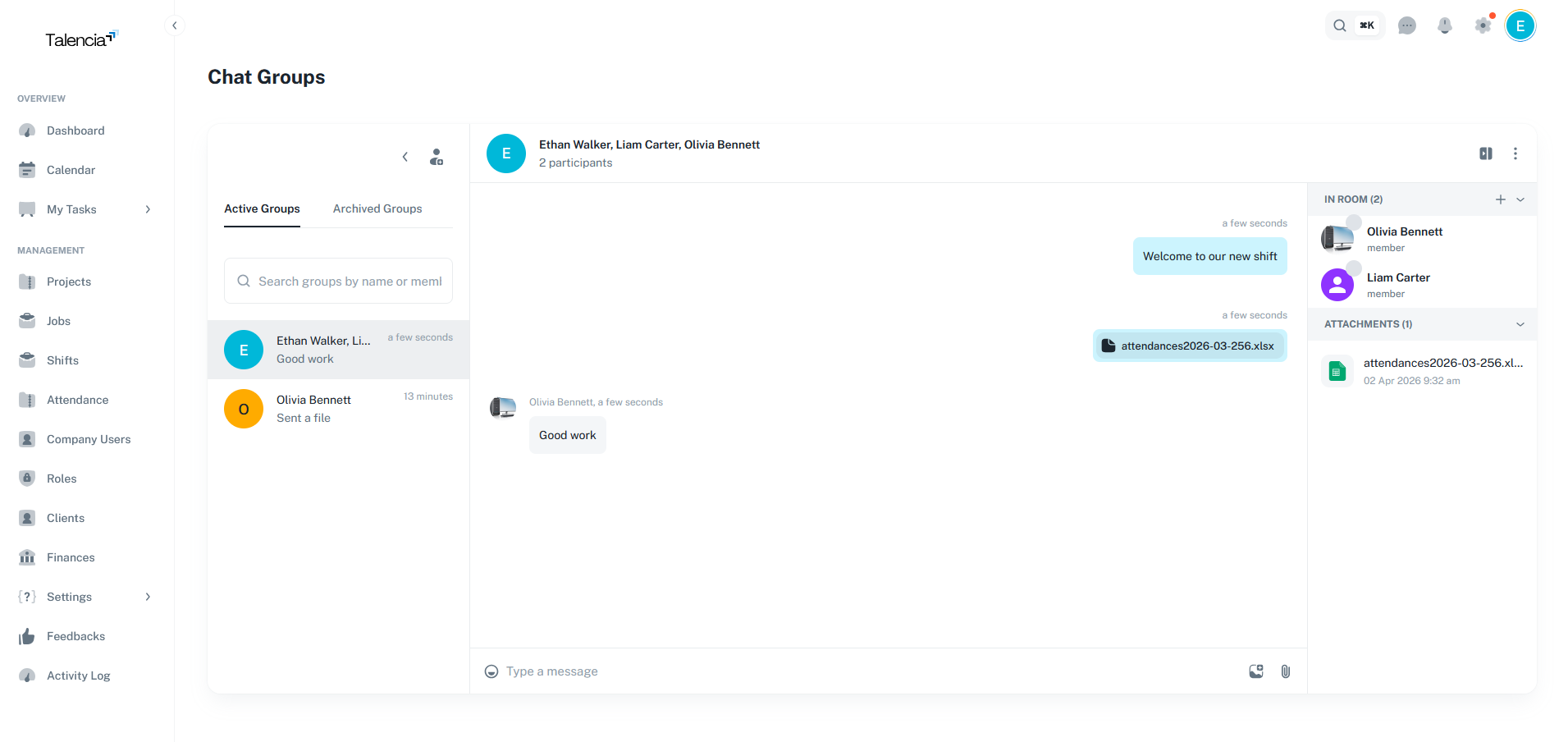
The chat interface provides a comprehensive messaging experience with rich text support, file attachments, image sharing, emoji reactions, and real-time message delivery status indicators.
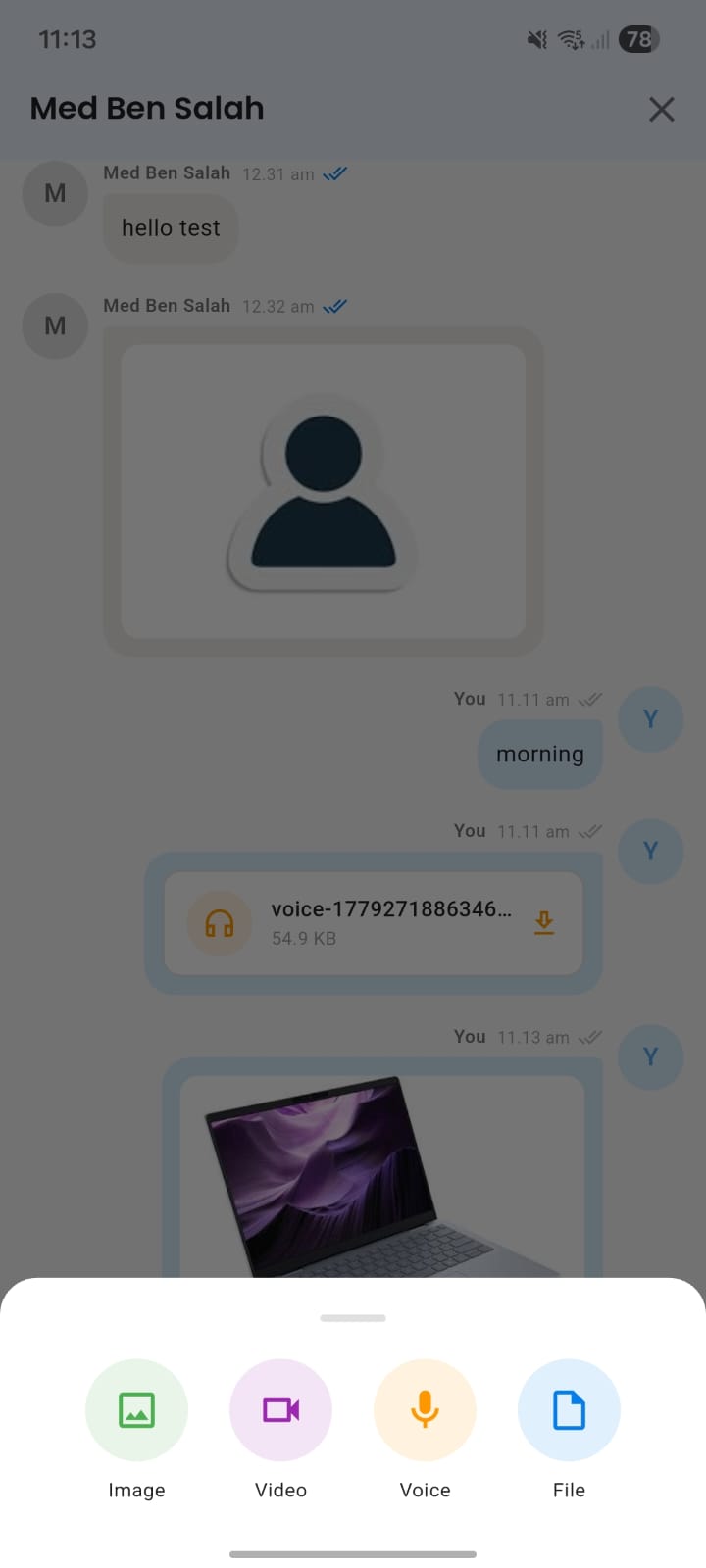
Talent Mobile Chat
Screenshot from the talent mobile app showing chat with support for text, voice, images, videos, and file messages.
Chat Types
Different communication channels.
Direct Messages
- One-on-one private conversations
- Manager-employee communication
- Client-student interaction
- Peer-to-peer messaging
Group Chats
- Team channels for departments
- Project-specific conversations
- Shift team communication
- Organization-wide announcements
Best Practices
Effective communication guidelines.
Clear Communication
Keep messages clear and concise.
Appropriate Channels
Use right channels for different topics.
Response Times
Respect response times and availability.
Professional Standards
Maintain professional communication.
Permissions
Required permissions for chat operations.
| Action | Permission |
|---|---|
| View Chat System | chat.view |
| Create Groups | chat.create |
| Send Messages | chat.create |
| Edit Messages | chat.update |
| Delete Messages | chat.delete |
| Manage Groups | chat.update |
| Add/Remove Members | chat.update |